
Hybrid meetings are a type of meeting in which some participants are physically present in the room whilst others join online. Hybrid meetings are often used when teams work remotely, are based in different locations (or even different countries) and/or when not all participants are able to travel to the same venue.
Put simply: a hybrid meeting is a meeting in which both online and in-person participants take part at the same time.
What do you need for a hybrid meeting?
Hybrid meetings only work well when the technology and venue are right. Nothing is more frustrating than poor (ambient) noise, a faltering connection or participants who cannot see each other properly.
For a successful hybrid meeting, you’ll need:
A reliable internet connection
The absolute number one priority: a reliable, fast internet connection. Not just in your venue, but also for the online participants. Advise participants in the meeting invitation to bear this in mind.
Cameras
It’s nice to be able to see the participant(s). That way, you can observe their facial expressions properly and the meeting feels more human. That’s why a good camera is definitely a must for a hybrid meeting. It’s therefore wise to ensure that there are good camera facilities in the (rented) meeting room.
Microphones for hybrid meetings
And whilst we’re on the subject: good sound quality. A good microphone for hybrid meetings ensures that everyone can be heard clearly, even when people are sitting further away. So be sure to ask about this when you book a meeting room.
Screens or displays
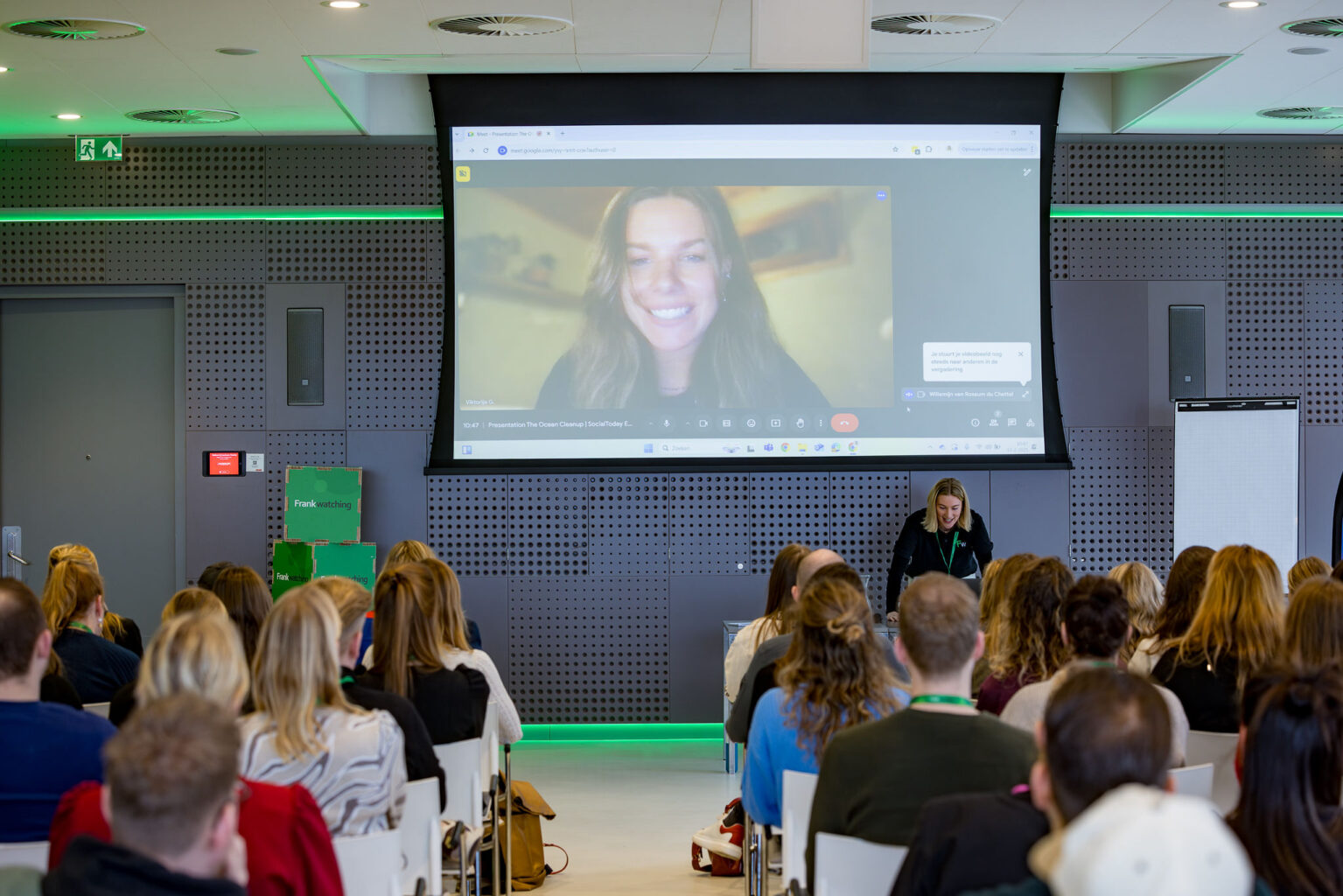
Everyone needs to be able to see one another, not just the chairperson. That’s why it’s a good idea to use a large screen in the meeting room, so that in-person participants can see the online participants clearly. And vice versa, of course.
Meeting software
With programmes such as Microsoft Teams, Zoom or Google Meet, you can start an online meeting quickly and easily. Many modern meeting rooms already have the necessary equipment, such as screens and audio systems, to use the software. At Jaarbeurs , everything is Plug & Play. All you need to do is connect and log in.
The benefits of hybrid meetings
Hybrid meetings offer a number of benefits. We’ve listed them below.
Greater flexibility
Anyone can join in from any part of the world! That makes planning a lot easier.
Less travel time and more sustainable
Not everyone needs to travel to the same venue. This saves time, costs and reduces emissions.
More participants possible
As people can also join online, more people can take part in a meeting when necessary.
Working more inclusively
Hybrid meetings make it easier to invite colleagues who, for whatever reason, are unable to travel to attend a meeting.
Collaborate more efficiently
By combining online and in-person participation, you can adapt more quickly and plan meetings more easily.
The drawbacks of hybrid meetings
Few people would disagree: a face-to-face meeting really is still the best option. We humans need to see each other in person. When participants join online, many people still feel a sense of distance from those who are there in person. Other disadvantages include:
Technical issues
There’s nothing more annoying than equipment that’s playing up or flat batteries. A projector that won’t work, a microphone that’s switched off… and so on. So make sure you test everything before you start.
Online participants may feel less involved
A quick joke thrown in, or a wink to the person next to you… People taking part online don’t see everything. As a result, they may sometimes feel less part of the conversation or may genuinely miss things. You experience the meeting differently.
More preparation required
A hybrid meeting also requires extra preparation, for example when testing equipment and connections. Is the picture clear? Is the lighting right? Can we provide people in other locations with a clear view of the meeting, and vice versa? There are many things to bear in mind.

Tips for a hybrid meeting
Do you want your hybrid meeting to run smoothly? These tips will go a long way towards helping you achieve that.
1. Test the equipment beforehand
Check that the software, cameras, microphones and screens are working properly before the meeting begins.
2. Ensure good sound quality
Invest in a good microphone for hybrid meetings, so that everyone can be heard clearly.
3. Actively involve online participants
Make sure online participants are given the floor and are clearly visible in the meeting room. You can do this, for example, by displaying their video feed on a large screen. Conversely, also consider how the meeting feed can best reach those joining remotely.
4. Ensure clear moderation
Choose a chairperson and make them responsible for ensuring everyone is involved in the discussion. This can also prevent people from talking over one another. It’s also a good idea to think about how online participants can speak. For example, by agreeing that they should ‘raise their hand’ online. This is a special feature in meeting software that shows you want to say something.
5. Keep things organised
Use a clear agenda and make sure everyone knows when it’s their turn to speak.
Hybrid meetings at a professional venue
Hybrid meetings work best in a room that has been specially designed for this purpose.
At Jaarbeurs MeetUp, you’ll find meeting rooms suitable for hybrid meetings. That means plug-and-play technology, excellent audiovisual support and comfortable spaces. Here, both your in-person and online participants can easily take part in the same meeting. Would you like to find out more or book a room? We’re here to help!