Fancy starting a podcast? Then you’ll need some equipment. But what exactly do you need? Is a good microphone enough, or do you need a mixer as well? And what about the software? We’ve put together a list of the most important pieces of podcasting equipment for you.
What basic equipment do you need for a podcast?
You don’t need a fully-fledged recording studio straight away to make a good podcast. With just a few of the right pieces of kit, you’ll be well on your way.
- Microphone: ensures your voice is recorded clearly. Opt for a separate microphone; this often works better than the built-in microphone in your laptop.
- Headphones: essential for checking that the sound is coming through clearly and that there are no distracting background noises.
- Laptop or computer: essential for editing the episode later.
- Recording software: background noise, long silences or slip-ups? You can use this to edit everything together or remove unwanted sounds.
- Audio interface or mixer: useful if you want to connect multiple microphones or have more control over the sound.
Exactly what podcast recording equipment you need depends on the number of speakers and how you’re recording. You’ll need a different set-up for a conversation between two people than for a discussion with three guests.
Which microphone is suitable for podcast recordings?
There are various types of microphones. But not all are the same. Let’s not overcomplicate things. To start with, there are two commonly used types:
USB microphones
You connect a USB microphone to your computer. So you don’t need any extra equipment to record the sound. This is handy if you’re recording on your own or have a simple setup.
XLR microphones
You connect these microphones via an audio interface or mixer. This allows you to control the sound more effectively, especially if you’re working with several speakers. Are you planning to record a professional podcast? Then an XLR microphone will give you more options.
You can also choose between dynamic microphones and condenser microphones. Dynamic microphones are useful if your room isn’t specifically set up for sound recording, as they’re generally less sensitive to ambient noise. Condenser microphones can capture sound in great detail, but this also means they pick up more ambient noise.
When do you need an audio mixer?
Are you just recording a podcast with a USB microphone? Then you won’t need a mixer. Are you going to connect several microphones? Then it might be useful to have some extra equipment – an audio mixer, in other words.
An audio mixer allows you to adjust the volume of different microphones separately. This is useful if one guest speaks much louder than the other. Sometimes you can also edit the audio straight away.
And then there’s also something called an audio interface. This serves a slightly different purpose: it converts the sound from your microphones into a digital signal that your computer can record. But usually, an audio interface with enough connections is all you need.
Are you planning to buy an audio mixer? If so, check the number of microphone inputs. Make sure there are enough and bear future needs in mind. If you only have two inputs, you’ll only be able to connect two microphones at a time.
Recording from home or in a studio?
Anyone can record a podcast. And you can easily do it at home too. But don’t forget: the room is just as important as a good microphone. An empty room, for example, can be very echoey. And in the office, you might hear the coffee machine or colleagues coming and going.
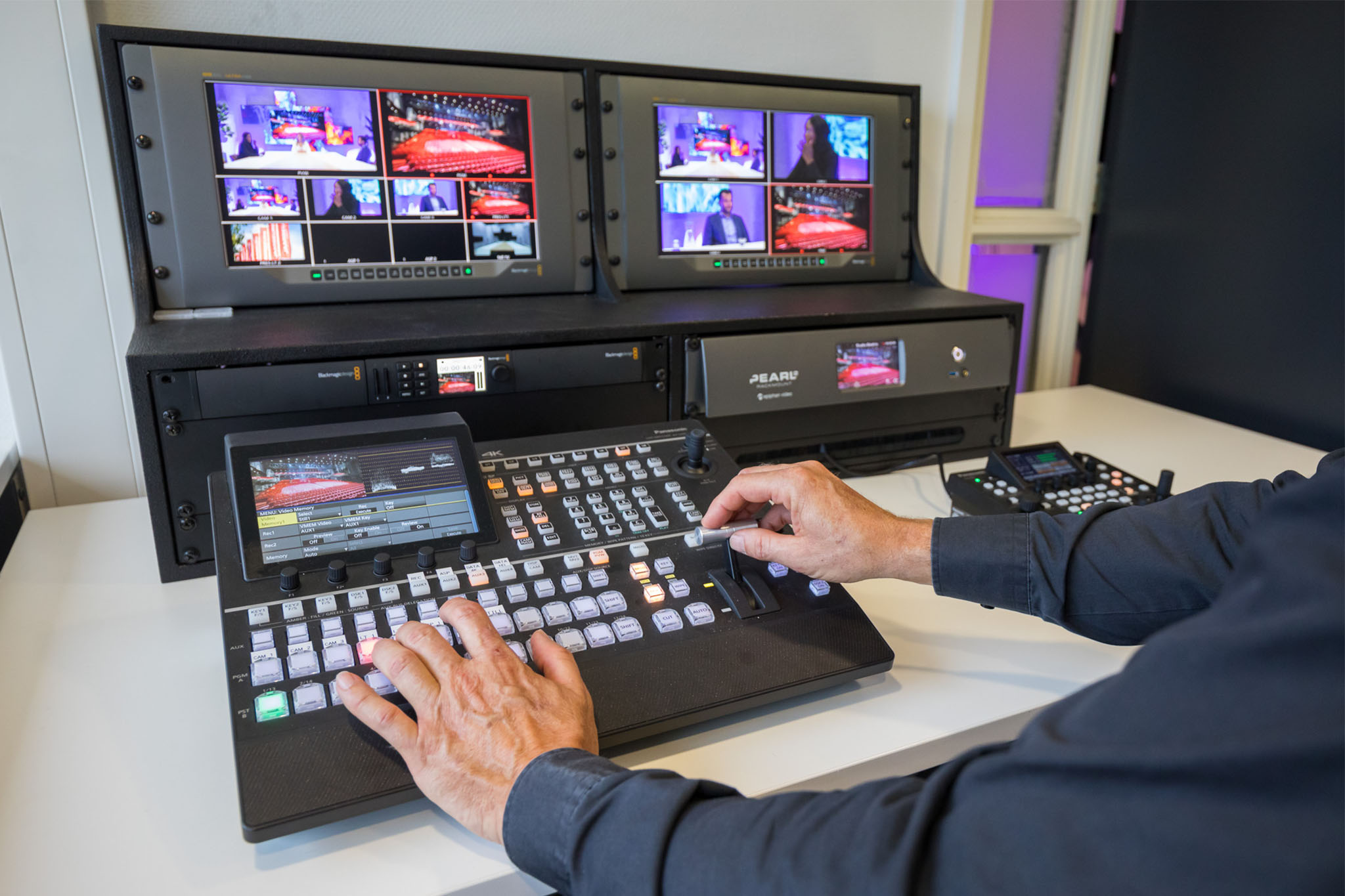
Not keen on buying podcast recording equipment? Then you can also hire a professional studio. It’s ideal, as it means you don’t have to worry about the technical side of things. We’ll take care of that for you anyway. At Jaarbeurs Studio, there are always three technicians on hand to operate the equipment. We also have five wireless microphones and four 4K cameras, so you can film your podcast straight away.
Not sure where the best place to record is? Read: Recording a podcast: at home or in a studio?
What software do you use for podcast recordings?
There are various software programmes on the market for editing your podcast. Which one is best depends on what you want to do yourself and how much of it you want to do.
A few commonly used programmes are:
- Audacity: free software that allows you to record, cut and edit audio. Ideal for simple podcast productions.
- GarageBand: a free programme for Mac users. You can use it to record and edit multiple audio tracks.
- Adobe Audition: comprehensive software for editing and enhancing audio.
- Riverside: an online platform that also allows you to record guests remotely.
How can you improve the sound quality of your podcast?
Even if you have the best equipment, there may be times when your recording doesn’t sound perfect. So bear the following points in mind.
Choose a quiet room
Stand in the room and be completely silent for a moment. What background noises can you hear? And in which part of the room is there the least noise? Close windows and doors and switch off any noisy appliances for a moment.
Prevent reverberation
A hard floor, bare walls or high ceilings… these are the key ingredients for reverberation. Curtains, rugs and soft furnishings help to dampen sound.
Pay attention to your distance from the microphone
If you’re sitting too far away from the microphone, your voice will sound soft and unclear. If, on the other hand, you’re sitting too close, listeners will hear you breathing or making smacking noises.
Use headphones
That way, you’ll hear straight away during the recording if anything goes wrong. For example, if a microphone is set too low or there’s an annoying noise.
Always do a test recording
Don’t start recording your entire episode straight away. Record for a minute first and listen back to it. That way, you’ll spot any problems and can make adjustments in good time.
Common mistakes with podcast equipment
When recording a podcast, things can sometimes go wrong with the audio quality. Here are a few mistakes you can easily avoid.
- Buying the most expensive equipment straight away
An expensive microphone doesn’t automatically guarantee a good podcast. First, consider what you need and the space in which you’ll be recording. - Ignoring the surroundings
You can invest in professional equipment, but if you’re recording in a room with a lot of reverberation, you’ll hear it anyway. - Not having enough microphones or connections
Do you want to invite several guests? If so, check that you have enough microphones and inputs. Otherwise, you’ll have to keep swapping around during the episode. - Not checking the sound during recording
Without headphones, you sometimes only realise afterwards that a microphone wasn’t set up properly. And by then, the conversation is already over. - Don’t skip the test recording
A few minutes’ testing can save you a lot of trouble. Always check that everything is working before you start.
Want to know more about what can go wrong during podcast recordings? We can tell you all about it. Read also: What are the most common podcast mistakes?
Record a business podcast at Jaarbeurs Studio
Have you come up with a good concept and are the first episodes in the pipeline? Then it’s time to start recording. At Jaarbeurs Studio in Utrecht, you’ll find everything you need to record your business podcast. We have a range of set-ups, top-quality professional equipment and technicians on hand to guide you. You provide the story, we’ll take care of the technical side. That way, you can focus entirely on the conversation. Want to find out more? Get in touch with us. We’d be happy to help!